Event-Driven vs Scheduled Push Notifications: When to Use Each
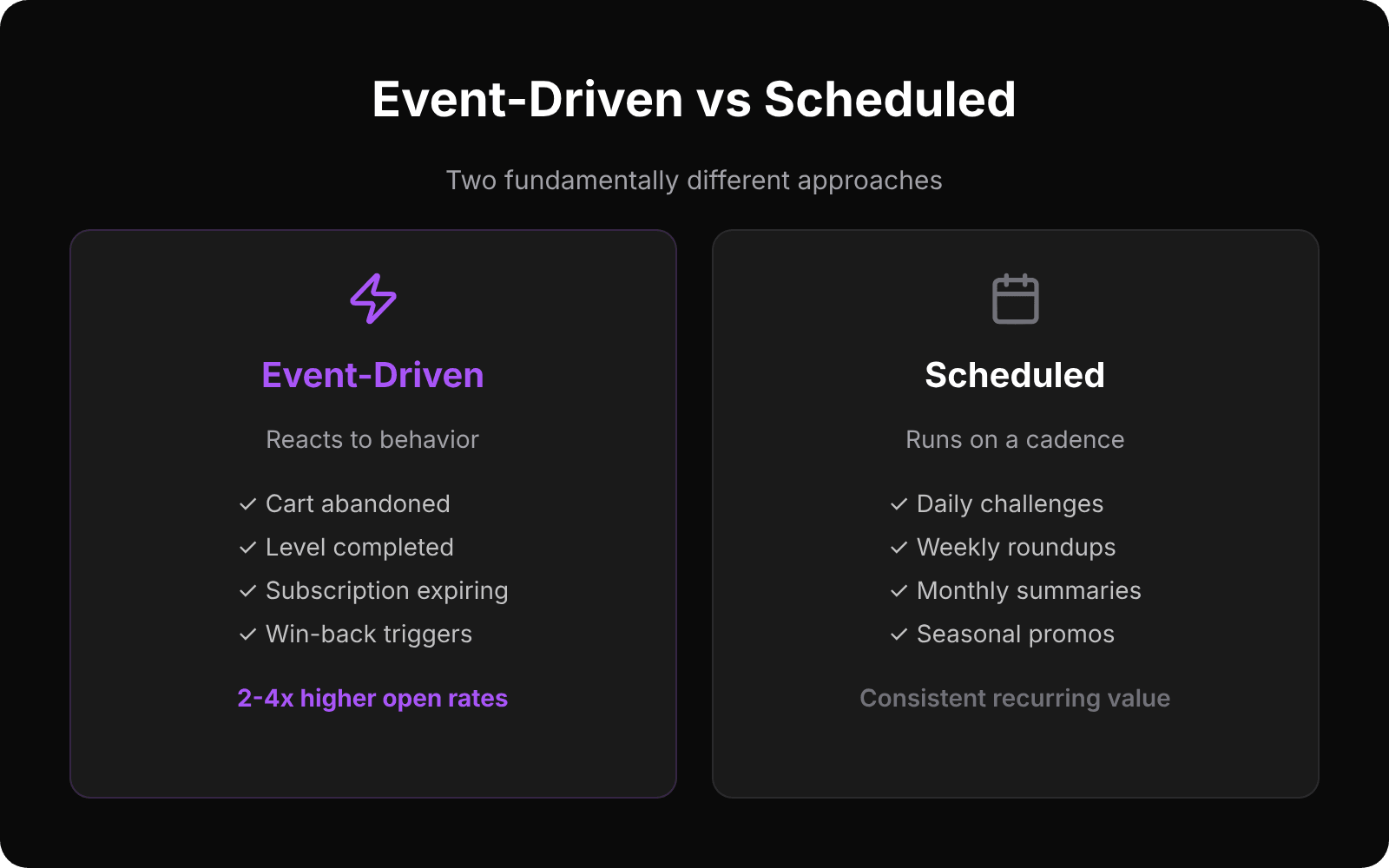
Every push notification strategy ultimately comes down to one question: when should this message be sent?The answer splits into two fundamentally different approaches — event-driven and scheduled — and most apps need both.
Event-Driven Push: React to Behavior
Event-driven (or “auto”) campaigns fire in response to something the user did or didn't do. The trigger is a user action, and the message is a direct response to that action.
Best For
- Cart abandonment recovery. User adds items to cart but doesn't complete checkout. Push fires after a configurable delay: “You left something behind!”
- Welcome sequences. User opens app for the first time. Push guides them to the first meaningful action: “Set up your profile to get personalized recommendations.”
- Re-engagement. User hasn't opened the app in 3 days. Push reminds them of what they're missing: “Your streak is about to reset!”
- Milestone celebrations. User completes level 10, makes their 5th purchase, or reaches a personal goal. Push acknowledges the achievement.
- Win-back. User has been inactive for 7+ days. Push offers a reason to return: new content, a promotion, or a reminder of unfinished progress.
Why It Works
Event-driven push has one critical advantage: relevance. The message directly relates to something the user just experienced. A cart abandonment push makes sense because the user was literally shopping. A re-engagement push after 3 days of inactivity addresses a real behavior pattern.
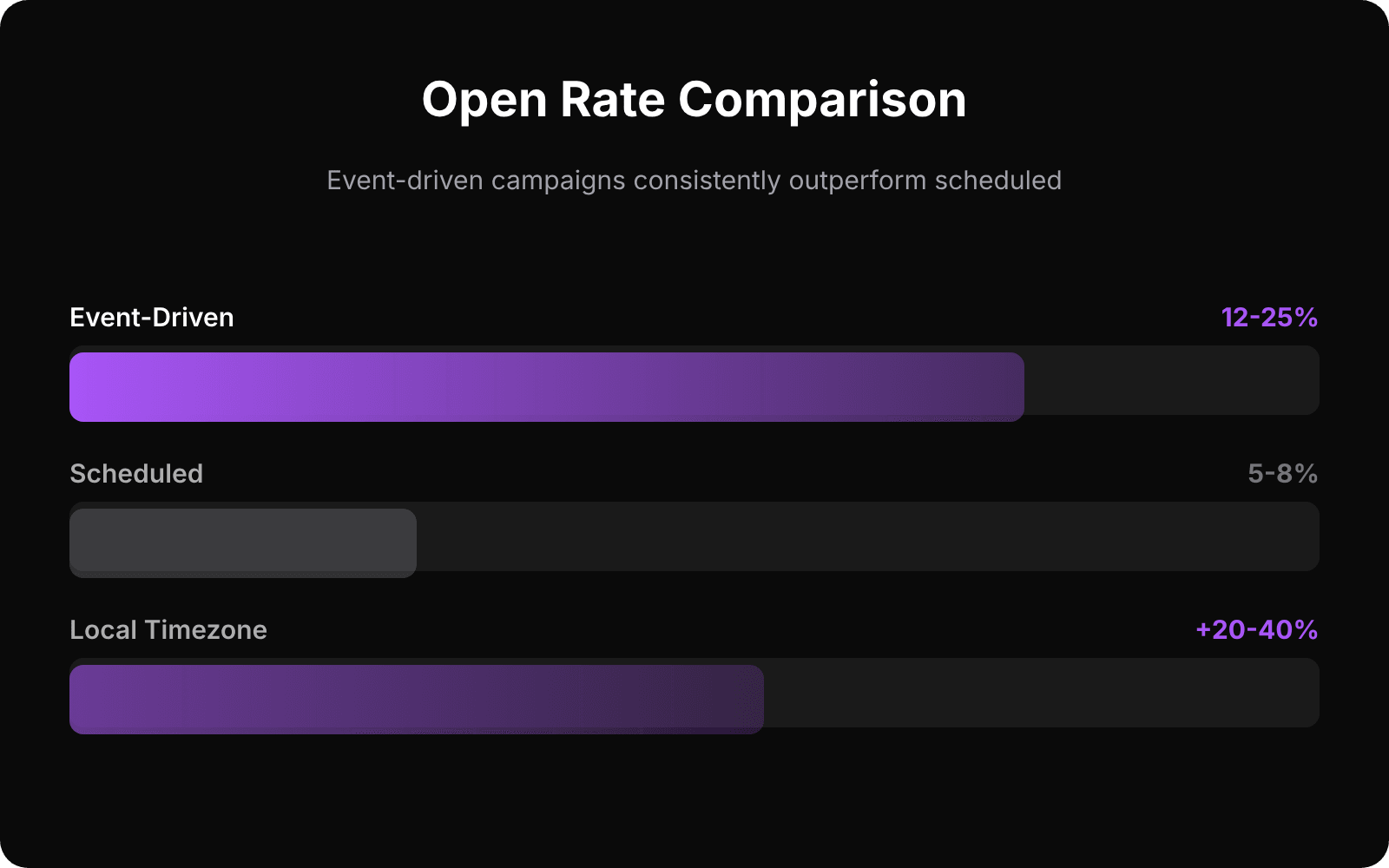
This relevance translates to numbers. Event-driven campaigns typically see 2–4x higher open rates than scheduled campaigns, because the user can connect the notification to their own behavior.
Scheduled Push: Deliver on a Cadence
Scheduled campaigns run on a time-based schedule — daily, weekly, monthly, or annually. The trigger is the clock, not user behavior.
Best For
- Daily challenges or content. Gaming apps with daily puzzles, news apps with morning digests, fitness apps with daily workout suggestions.
- Weekly roundups. “This week on the platform” summaries, top picks, or progress reports.
- Monthly summaries. Usage stats, spending reports, achievement recaps.
- Seasonal promotions. Holiday sales, annual events, time-limited offers.
- Recurring reminders. Subscription renewal reminders, appointment nudges, billing notices.
The Timezone Trap
The biggest mistake with scheduled push is ignoring timezones. If you schedule “Good morning!” at 9 AM UTC, users in Tokyo receive it at 6 PM and users in San Francisco get it at 1 AM. Neither is a good morning.
The fix: per-user local timezone delivery. Schedule the campaign for 9 AM, and each user receives it at 9 AM in their timezone. This requires tracking user timezones (which your event data should already include), but the engagement lift is significant — typically 20–40% higher open rates compared to fixed-timezone delivery.
When to Use Which
The decision framework is straightforward:
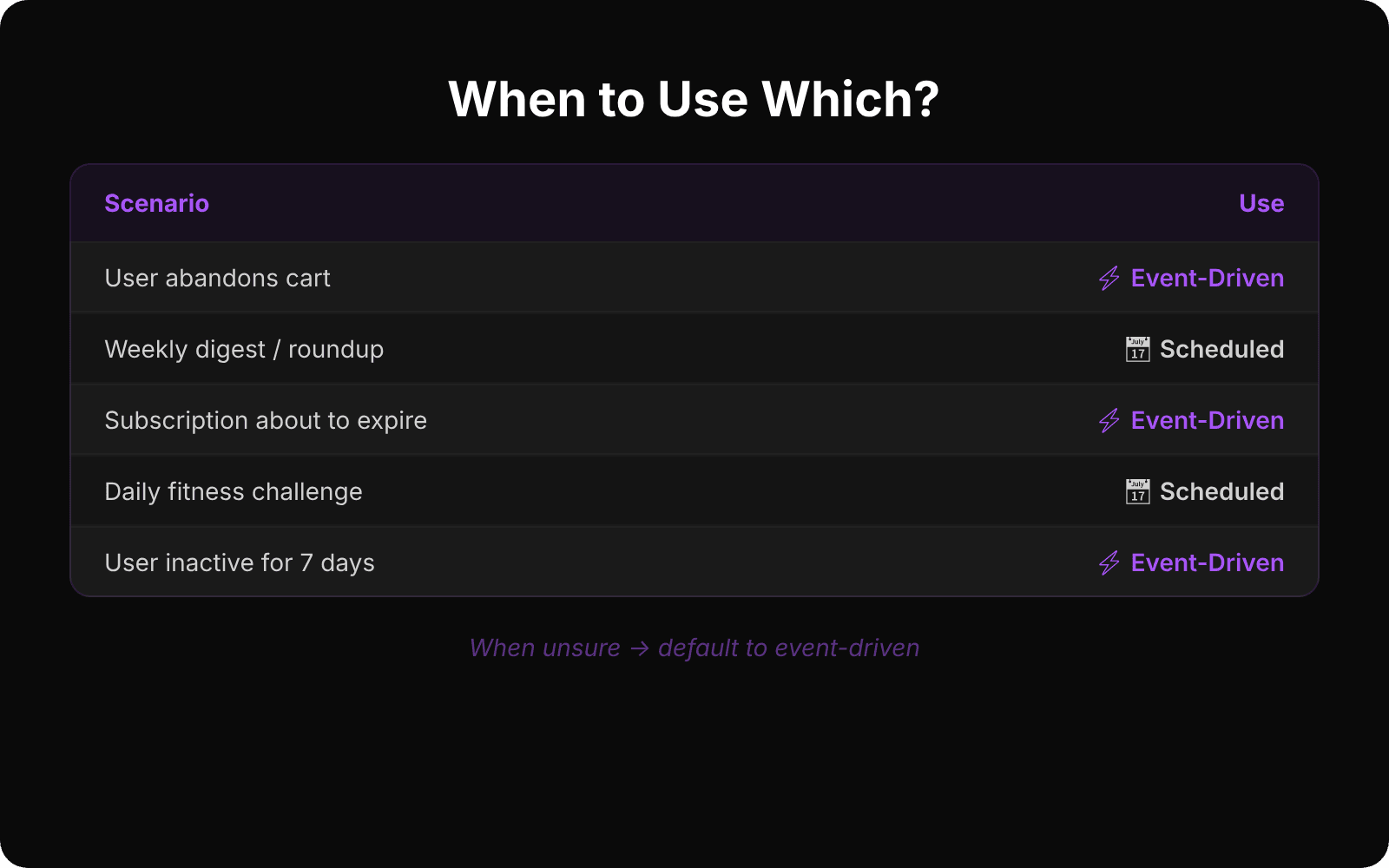
- If the message responds to something the user did → event-driven. The trigger is behavior.
- If the message delivers value on a schedule → scheduled. The trigger is time.
- If you're not sure → event-driven. Behavior-triggered messages almost always outperform calendar-based ones.
The Best Strategy Uses Both
The highest-performing push strategies combine both campaign types:
- Event-driven campaigns handle the user lifecycle. Welcome, engagement, re-engagement, and win-back flows respond to individual user journeys.
- Scheduled campaigns deliver recurring value. Daily content, weekly updates, and monthly summaries create a predictable rhythm.
- Cooldowns prevent overlap. A user who just received an event-driven push shouldn't also get the scheduled push 30 minutes later. Frequency caps keep the total volume per user in check.
Practical Example: A Fitness App
Consider a fitness app using both campaign types:
- Event-driven: User completes a workout → congratulations + streak update. User misses 2 days → gentle nudge. User hits a PR → celebration.
- Scheduled: Daily at 7 AM (user local) → “Today's suggested workout.” Weekly on Monday → “Last week: 3 workouts, 2 PRs. Keep it up!”
- Cooldowns: No user receives more than one push per day. If the event-driven push fires, the scheduled one is skipped for that day.
This combination means every user gets the right message at the right time — whether that time is determined by their behavior or by the calendar.
Key Takeaway
Event-driven push handles the “why,” scheduled push handles the “when.” Together, they create a push strategy that feels personal and consistent without overwhelming the user. The tools to implement both exist today — the question is whether your platform supports both campaign types with proper cooldown coordination.
Ready to send smarter push notifications?
Build smarter engagement with SmartAppPush.
Get Started Free